
The short answer
To convert a landscape video to 9:16, choose between filling the vertical frame by cropping the sides and keeping the whole picture with padding or a new layout. Recast’s free resizer scales the video to fill the frame, then crops from the center. It exports 1080 × 1920 MP4 and does not track the subject or offer padding. Check the whole export before publishing.
1. Choose what you want to keep
A 9:16 frame is taller than it is wide. Changing a wide 16:9 picture into that shape forces a choice: remove some of the picture, leave space around it, or rearrange the composition. Simply changing the filename cannot make that choice. Rotating the image is different again: it turns the subject sideways rather than reframing an upright shot.
A fill-and-crop workflow is useful when the action stays near the center and the side areas are expendable. A fit-and-pad workflow keeps all the original image but leaves space above and below a landscape clip in a portrait canvas. An editor can fill that space with a solid color or a designed background. Recast’s current free tool provides the center-crop workflow only.
| Approach | What changes | When it fits |
|---|---|---|
| Center crop in Recast | The image fills 9:16; side content is removed. | A centered subject with unimportant edges. |
| Fit and pad in another editor | The full image remains, with unused canvas around it. | Screen recordings, labels, or multiple subjects that must remain visible. |
| Reframe manually in another editor | You control the crop position or rearrange the layout. | A subject that moves or sits away from the center. |
2. Compare our actual landscape and portrait exports
On November 6, 2026, we selected our existing 24-second espresso demonstration in Recast’s browser resizer, chose 9:16, and downloaded the MP4 in Chrome on macOS. This was a local preview of the site’s tool code, not a cloud translation job. The source combines edited Mixkit footage, an original script, and synthetic narration; it is a team demonstration rather than a customer campaign.
The input picture is 1920 × 1080 and the output is 1080 × 1920. Both picture tracks last 24 seconds. The resized file’s container reports 24.021 seconds with its re-encoded AAC audio. These measurements describe this file, not a processing-time or format-compatibility guarantee.
Compare the picture near two seconds. The landscape version shows the cup and surrounding machine. The center crop removes the left side of the cup and leaves the coffee stream near the left edge. The export has the requested dimensions, but the framing is a poor choice if showing the whole cup matters. That is the distinction to check: a successful conversion can still need a different composition.
Read the English narration
This short demonstration shows an espresso machine in use. Coffee flows from the spout into a metal cup below. The close-up makes the brewing process easy to see. Clear captions can explain what is happening, even with the sound off. Before sharing a translated version, review the wording and check the subtitle timing.
Read the English narration
This short demonstration shows an espresso machine in use. Coffee flows from the spout into a metal cup below. The close-up makes the brewing process easy to see. Clear captions can explain what is happening, even with the sound off. Before sharing a translated version, review the wording and check the subtitle timing.
3. See exactly why edge labels disappear
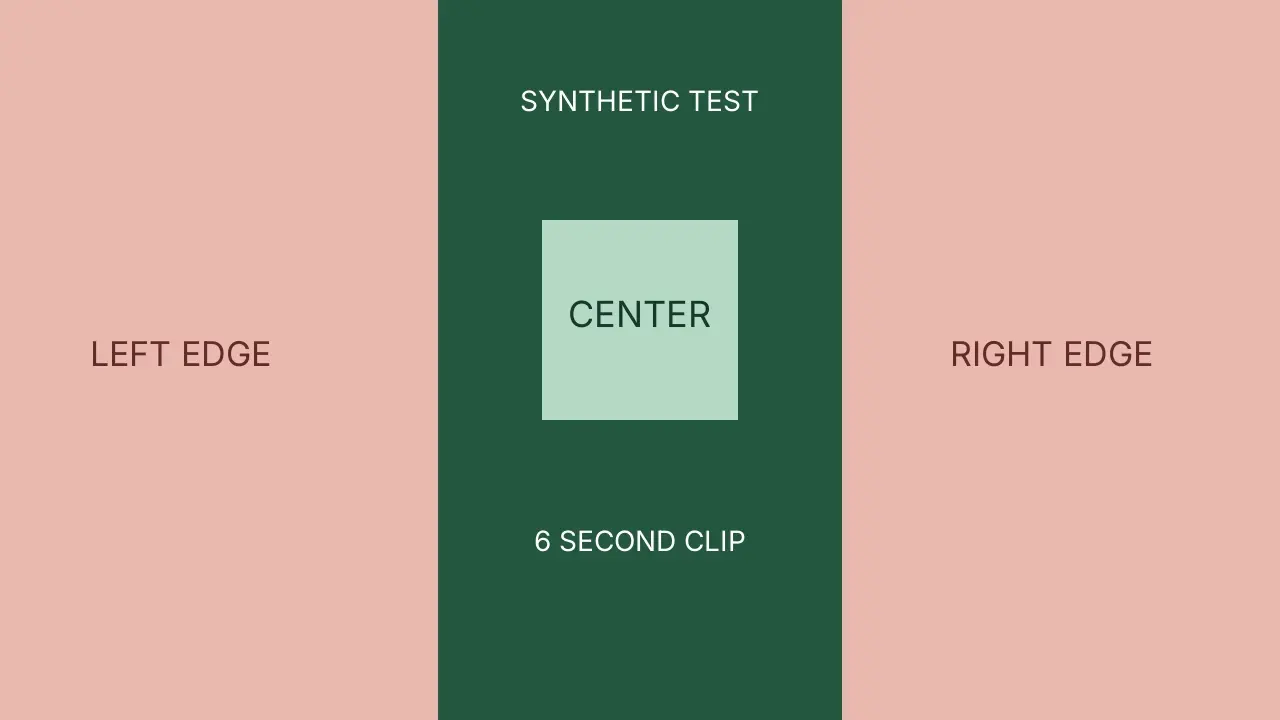
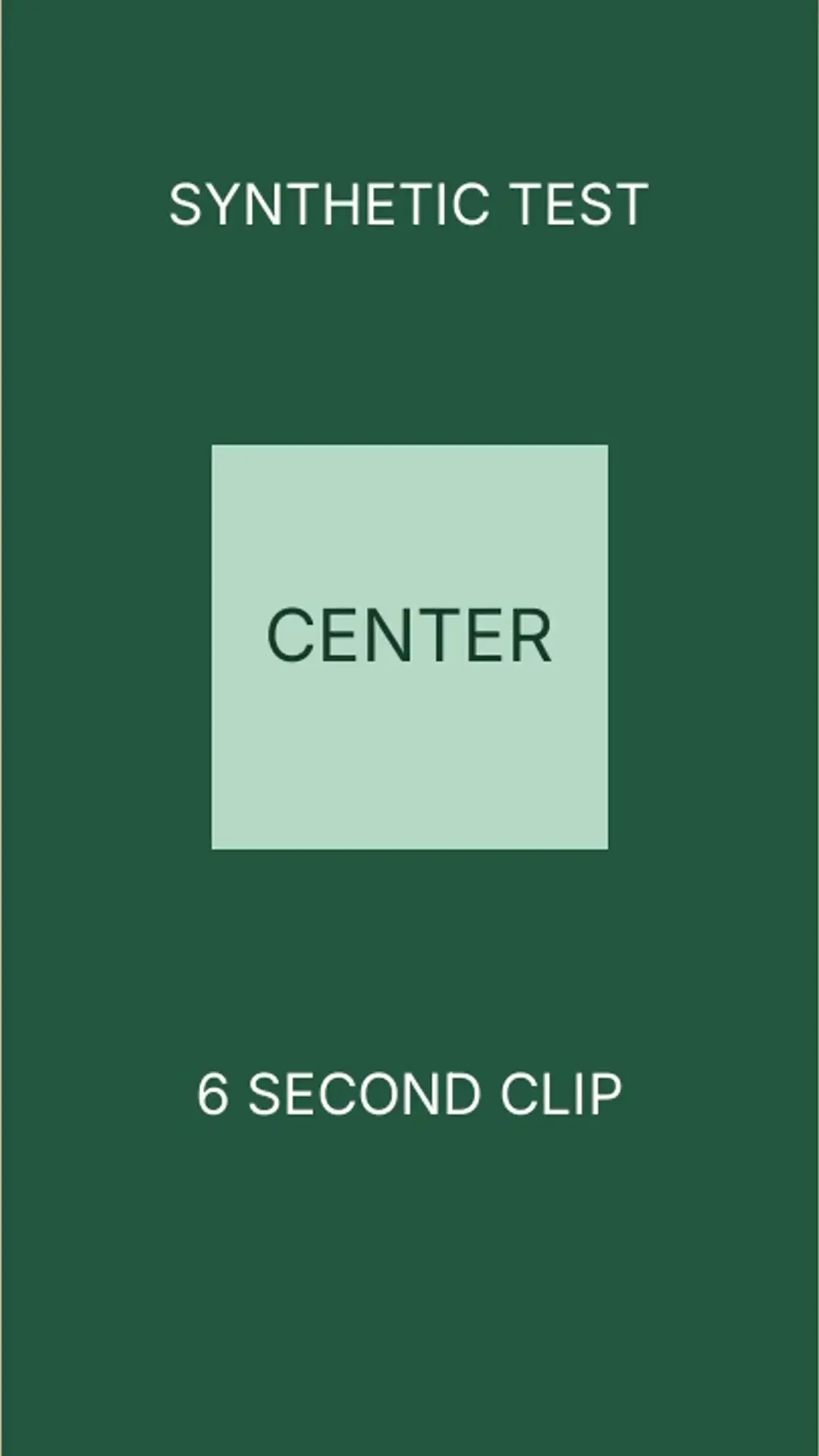
We also made a six-second test chart with a green center and pink side panels labeled LEFT EDGE and RIGHT EDGE. The images below are frames extracted at two seconds from the original clip and its actual Recast 9:16 export. The center label remains; both edge labels disappear. This is an intentionally synthetic test, not product footage or an illustration of AI subject detection.
A centered 9:16 crop of a 16:9 video keeps about 32% of the original width. At the same picture height, dividing the target width-to-height ratio (9/16) by the source ratio (16/9) gives 81/256, or 31.64%. The exact pixel boundary depends on scaling and rounding. A title, price, or product detail placed far to either side can therefore be lost even if it looked safe in the wide version. Inspect the first frame, moving action, and ending rather than judging only the poster.
4. Convert a short MP4 in Recast
Open the free video resizer and choose your source file. Select 9:16, then choose Resize video. Wait until processing finishes and the download starts. Open the downloaded MP4 in a player and inspect it; the success message confirms that an export was produced, not that the framing meets your needs.
The tool processes the file in your browser without an account and checks a 200 MB per-file limit. Device memory and codec support still matter. Start with a short, representative MP4 before attempting a large recording. Our 24-second example is a reproducible sample, not a promise that every file under the limit will work.
The other current presets are 1:1 at 1080 × 1080 and 4:5 at 1080 × 1350. Choose the format for the destination you actually need. This walkthrough validates the 9:16 export; it does not establish that one preset meets every social platform’s requirements. Check the destination’s current upload rules before release.
5. Check captions and moving subjects before sharing
Keep a clean master and settle the framing before burning in captions. Words already encoded into the picture are cropped along with everything else. A separate SRT or VTT file remains editable, but it still needs a player or a later burn step; resizing an MP4 does not automatically attach that separate file.
Watch for a hand, face, moving product, or pointer leaving the retained area. Recast crops around the geometric center of the frame, not around an object it has identified. If the useful action falls outside that area, use an editor with position controls, a fit-and-pad layout, or a newly framed source. A center crop cannot recover content that was removed from an earlier export.
Questions about converting landscape video to portrait
Can I convert video to 9:16 without cropping? Yes, with a workflow that fits the full source inside a portrait canvas and adds space or a new layout. Recast’s current resizer does not provide that mode. If every part of the wide image must stay visible, choose an editor that offers it.
Will exporting 1080 × 1920 improve the original detail? No. Upscaling cannot recreate information missing from the source, and this tool re-encodes the video. The narrower composition may look larger on a phone, but that is not evidence of better image quality or a lossless export.
Can Recast follow a person automatically or move the crop left? The current free resizer has neither control. It can be useful for centered material, while our espresso example shows why you should inspect a real export before using it for an off-center subject.