The short answer
To translate an English product video into Spanish, decide whether you need Spanish text, spoken Spanish, or both. For a dub, translate the narration against the picture, record or synthesize the Spanish lines, then time the captions to the finished voice. In our 24-second example, we revised three lines before exporting a Spanish MP4 and a separate six-cue SRT.
1. Choose Spanish subtitles, a dub, or both
If your audience will watch with the sound off, Spanish subtitles let them follow the English demo without replacing the voice. Keep the original MP4 and supply a timed Spanish subtitle file to a player that supports it. If viewers need to follow the demonstration by ear, change the narration itself. Translating an SRT changes text on screen; it does not make the presenter speak Spanish.
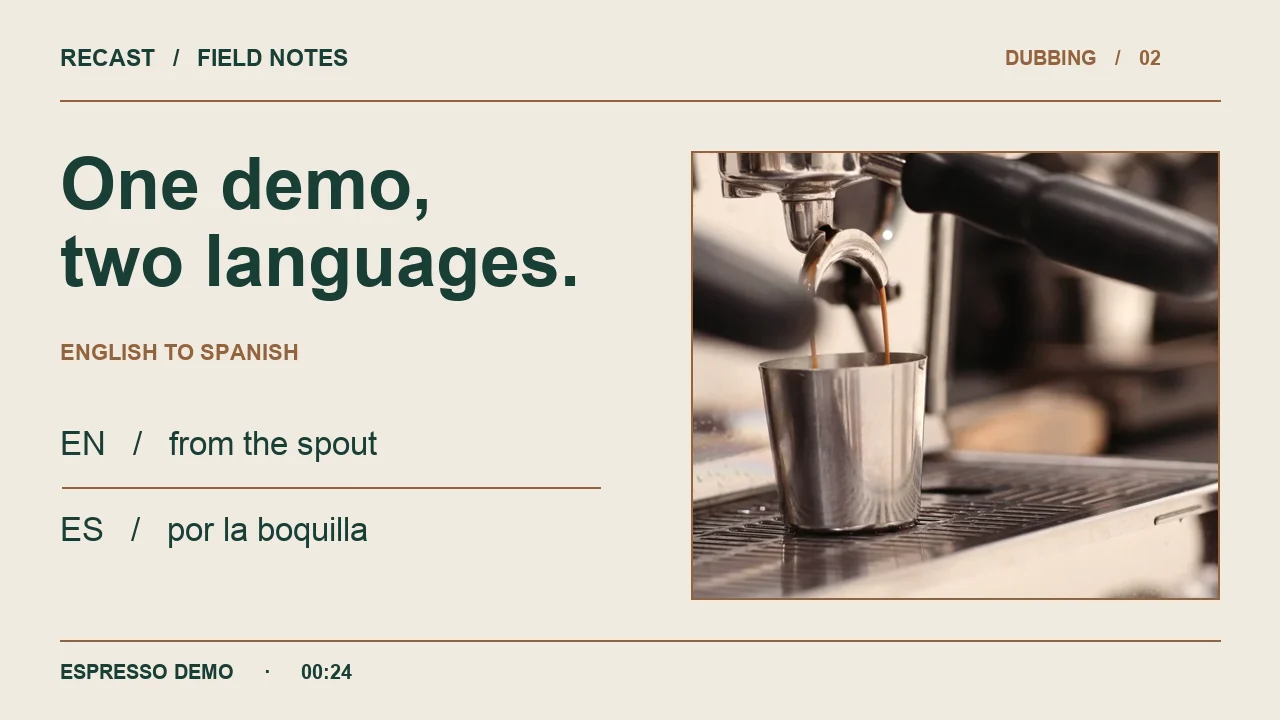
For this example we wanted both: a downloadable video that speaks Spanish on its own, and Spanish subtitles that a viewer can switch on. We used the same 24 seconds of espresso-machine footage for both languages. This is a Recast team demonstration with synthetic narration, not a customer project. The scene contains no visible speaker, so there is no lip movement to match.
2. Start with the picture and the English script
Play the English source once without reading. Write down the facts a viewer should retain: what the machine does, where the coffee comes out, and what catches it. Then check the transcript against what is visible. Here the words “spout” and “metal cup” describe objects you can point to. They deserve more protection in translation than filler such as “this short demonstration.”
For an English-to-Spanish job in Recast Studio, sign in, select an English source and Spanish as the target, review the voice authorization and credit estimate, then start the job. Studio is for short product videos up to 90 seconds, 200 MB and 1920 pixels on the longest edge. Our example used the Recast translation pipeline locally with a preset synthetic voice. It was not a paid Studio order or a test of the Studio checkout.
Read the English narration
This short demonstration shows an espresso machine in use. Coffee flows from the spout into a metal cup below. The close-up makes the brewing process easy to see. Clear captions can explain what is happening, even with the sound off. Before sharing a translated version, review the wording and check the subtitle timing.
3. Compare the first Spanish lines with the edited dub
The first Spanish pass sounded plausible on paper, but its second sentence only said that coffee fell into a metal cup. It omitted the spout. Another line said that subtitles explain everything, a stronger claim than the English narration makes. We revised those two lines and shortened the closing instruction: the first version occupied the full ending, while the edited final cue clears before the picture ends. We then synthesized the three replacement takes before composing the final video.
We used broadly understandable Spanish wording and a consistent formal instruction at the end. That is an editorial choice for this demonstration. For a particular market, ask the person responsible for the product vocabulary to approve terms before recording. A voice that pronounces a word clearly can still be reading the wrong name for the part.
| English source idea | First Spanish pass | Edited Spanish in the playable MP4 |
|---|---|---|
| Coffee flows from the spout into a metal cup below. | El café cae en una taza metálica. | El café sale por la boquilla y cae en la taza de metal. |
| Clear captions can explain the action with the sound off. | Los subtítulos explican todo, incluso sin sonido. | Los subtítulos ayudan a entender la escena incluso sin sonido. |
| Review the wording and subtitle timing before sharing. | Antes de compartir una versión traducida, revise la redacción y compruebe la sincronización de los subtítulos. | Antes de compartir la traducción, revise el texto y los tiempos de los subtítulos. |
4. Play the edited Spanish export
Listen first with captions off. At the pour, listen for “boquilla” and “taza de metal.” Turn on the Spanish track and replay the same section. In this export the cue runs from 5.160 to 8.920 seconds. The last subtitle clears at 23.288 seconds, before the 24-second picture ends. These times belong to this example; translated speech will not always fit the English cue boundaries.
Keep the complete thought in view when checking captions. The closing instruction spans two cues but is one spoken sentence. Check both halves against the audio, including the final word. File duration by itself cannot tell you whether a rushed ending is intelligible. In a blind automated listening check, the transcribed Spanish matched the edited script through the final word; this was not a native-speaker sign-off. Have a fluent reviewer listen on the intended device before releasing customer-facing product claims.
Read the edited Spanish narration
Esta breve demostración muestra una máquina de espresso en uso. El café sale por la boquilla y cae en la taza de metal. El primer plano muestra bien la preparación. Los subtítulos ayudan a entender la escena incluso sin sonido. Antes de compartir la traducción, revise el texto y los tiempos de los subtítulos.
5. Deliver the right files to the publisher
The Spanish MP4 below contains the edited narration and the original picture. It has no embedded or burned-in subtitle track. Send its SRT alongside it if your destination accepts a separate caption upload. For a web video player that expects WebVTT, use the VTT download. The SRT and VTT here contain the same six cues, so changing formats does not translate or retime anything.
If the destination accepts only one video file and the text must always be visible, burn the reviewed subtitles into a copy of the Spanish MP4. Keep the clean Spanish master too: it lets you fix a caption or export a different layout later without putting new words on top of old ones.
6. Can I keep the English voice?
Yes, if you want English speech with Spanish text: use the original English MP4 and translate and time the captions against that English audio. The downloadable subtitles in this guide are timed to the edited Spanish voice. Do not assume they match every pause in the English version. If you want Spanish speech in a voice that resembles the presenter instead, that is a different choice and requires permission to use that voice. No voice was cloned for this Spanish sample.